Tile3M1.0.0
Publisher Description


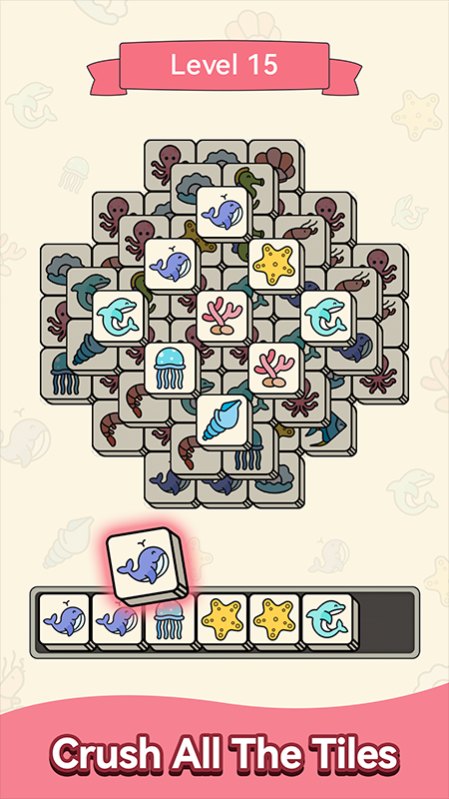

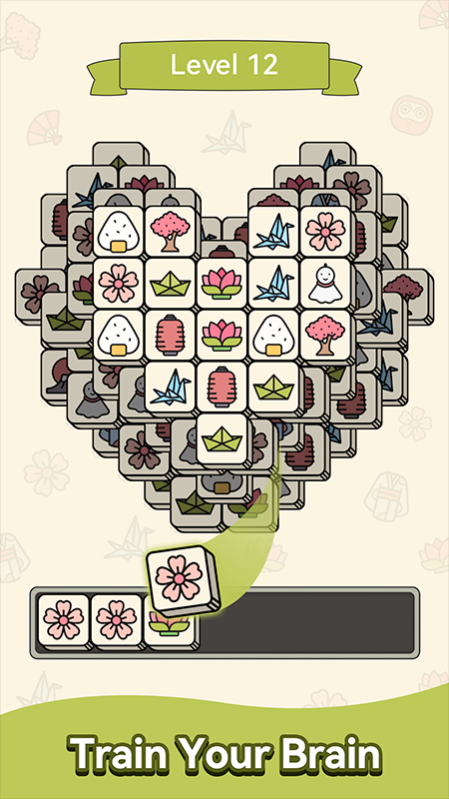
Tile3M is a fun tile matching puzzle game that brings you joy. It’s simple to play, but still can be challenging if you keep playing matching. The beginning is easy but it gets harder as you progress in the game. You will never get tired of this game and its beautiful tiles.
Why play Tile3M
* Play a free and full of joy matching game
* Relax when stressed
* Play at anytime and anywhere
* No time limit, no pressure
* Play online/offline
* Exercise and sharpen thinking skills
* Many styles of cute tiles here
How to play Tile3M
* Find 3 same tiles and collect them in the stack. These 3 same tiles will be matched and removed from your tile stack. The stack filled with different tiles will cause the tiles not to be removed.
* Open layers to find more tiles for matching and pay attention to not making your stack to be filled with tiles.
* When all the tiles are cleared by matching, you win.
Are you fond of 3 tiles matching game? You will not miss Tile3M and begin your tile matching journey right now!
About Tile3M
The company that develops Tile3M is LUZ INNOVATION (HK) LIMITED. The latest version released by its developer is 1.0.0.
To install Tile3M on your Huawei device, just click the green Continue To App button above to start the installation process. The app is listed on our website since 2022-12-13 and was downloaded 1 times. We have already checked if the download link is safe, however for your own protection we recommend that you scan the downloaded app with your antivirus. Your antivirus may detect the Tile3M as malware as malware if the download link to C107469119 is broken.
How to install Tile3M on your Huawei device:
- Click on the Continue To App button on our website. This will redirect you to Huawei Store.
- Once the Tile3M is shown in the Huawei Store listing of your Huawei device, you can start its download and installation. Tap on the Install button located below the search bar and to the right of the app icon.
- A pop-up window with the permissions required by Tile3M will be shown. Click on Accept to continue the process.
- Tile3M will be downloaded onto your device, displaying a progress. Once the download completes, the installation will start and you'll get a notification after the installation is finished.
